Alpha Digital, LLC
Why the right partner—and the right process—makes all the difference.
Migrating from WooCommerce to Shopify is one of the smartest moves an ecommerce brand can make. Shopify is faster, more secure, easier to maintain, has a better app ecosystem, and unlocks more scalability than nearly any other platform.
But here’s the truth most merchants don’t hear:
Most Shopify migrations fail—not because Shopify is hard, but because the migration process is mishandled.
Brands lose:
- Product data
- Customer histories
- Order records
- SEO rankings
- Tracking & analytics
- Custom integrations
- Newsletter/lifecycle flows
And most importantly:
They experience downtime, which means lost sales.
At Alpha Digital, we specialize in zero-downtime Shopify migrations engineered to preserve your data, your SEO, your revenue—and your sanity.
This guide is designed to give you everything you need to know before migrating, and exactly why choosing the right partner makes or breaks your success.
Why Shopify Is the Right Move
Whether you're battling plugin conflicts in WooCommerce, dealing with slow page speeds, or constantly patching security issues, Shopify solves the problems that hold brands back.
Shopify gives you:
- A stable, secure infrastructure
- Faster load times
- A cleaner checkout experience
- Fewer tech issues
- Better integrations with Google, Meta, Klaviyo, Amazon & Walmart
- A platform that scales without breaking
But getting to Shopify the right way is the real challenge.
Why Migrations Fail
Most failed migrations share the same issues:
❌ Missing product data
❌ Broken URLs & lost SEO rankings
❌ Incomplete customer or order histories
❌ Shipping/tax rules not carried over
❌ Tracking & pixels not reinstalled correctly
❌ Wrong theme setup or missing brand assets
❌ Apps not reconnected
❌ Payment gateways not configured
❌ Bugs found only after launch
❌ Downtime
These failures don’t just happen randomly—they happen because migration is not a “copy/paste job.”
It’s a technical rebuild of your e-commerce system.
That’s why Alpha Digital uses a hyper-structured migration framework built to guarantee nothing gets missed.
The Alpha Digital Migration Framework
There are 9 stages we follow for every Shopify migration.
Each stage is built to eliminate risk, protect your data, and ensure launch success.
1. Audit & Discovery (Pre-Kickoff)
Before a single line of data is moved, we establish:
- Your goals & growth targets
- What data is migrating
- App replacements or upgrades
- What needs to be redesigned or rebuilt
- The go-live timeline
- Roles & responsibilities
- Access to your existing platforms
This prevents surprises later and ensures we begin with a clear migration map.
2. Product & Catalog Data Transfer
We gather and validate all product information:
- SKUs
- Images
- Variants
- Attributes
- Collections
- Inventory
Most brands have messy product data—so we clean and normalize it before importing.
3. Design, Theme, and Branding Setup
You can keep your same design, upgrade to a faster theme, or rebuild completely.
We pull in:
- Logos
- Fonts
- Colors
- Banners
- Copy
- Reference sites
- Custom pages
Everything is rebuilt natively in Shopify’s 2.0 framework for maximum speed and flexibility.
4. Apps, Integrations & Technical Infrastructure
Every WooCommerce plugin has a Shopify equivalent—or a better alternative.
We handle:
- Shopify app selection
- Integration setup
- Loyalty & rewards
- Reviews
- Subscriptions
- Wholesale
- Bundles
- Custom APIs
And if Shopify doesn’t have an app that fits?
We build the functionality ourselves.
5. Payments, Shipping, and Taxes
We configure all your Shopify back-end essentials:
- Payment gateways
- Tax regions & nexus
- Shipping rules & fulfillment zones
- Custom rates (UPS, USPS, FedEx, etc.)
Your checkout must work perfectly from minute one.
6. Analytics, Tracking, and Pixels
Most agencies simply reinstall your tracking code.
We don’t.
We rebuild your entire analytics stack to modern standards:
- GA4
- Google Tag Manager
- Meta Pixel
- Google Ads conversion tracking
- Server-side tracking (optional)
- Search Console integration
This ensures campaigns run smoothly day one with accurate attribution.
7. Policies, Legal, and Compliance
Shopify stores must meet compliance requirements:
- GDPR / CCPA
- Accessibility
- Cookie banners
- Privacy & Terms
- Return/Shipping policies
We integrate everything inside the theme for legal coverage.
8. QA, Testing, and Launch Prep
Before you go live, we test:
- Mobile & desktop layouts
- Checkout flow
- Payment methods
- Shipping logic
- Page speed
- Apps & scripts
- Cross-browser compatibility
You also review everything in a private staging environment.
9. Launch & Go-Live (Zero Downtime Guaranteed)
On launch day:
- We freeze product edits
- Perform a final sync
- Switch DNS instantly
- Test checkout LIVE
- Monitor tracking
- Monitor server responses
- Stay on support through the entire window
This ensures no downtime, no broken pages, and no lost revenue.
Where Alpha Digital Is Different
Most agencies migrate your data.
We migrate your business.
Here’s what sets us apart:
1. Zero Downtime Guarantee
Your WooCommerce store stays live until the moment Shopify is ready to take over.
2. AI-Enhanced Migration Auditing
We use AI tools to:
- Scan for missing data
- Validate product descriptions
- Flag SEO risks
- Quality-check metafields
- Verify redirects
- Analyze customer & order data
- Identify plugin conflicts
- Audit tracking scripts
This dramatically reduces human error and makes your migration safer.
3. SEO Preservation & Redirect Mapping
We manually map all URLs to prevent rank loss.
This includes:
- Product URLs
- Collection URLs
- Blog URLs
- Page URLs
We also submit sitemaps and re-verify with Google Search Console to protect your search visibility.
4. You Don’t Just Get Shopify — You Get a Growth System
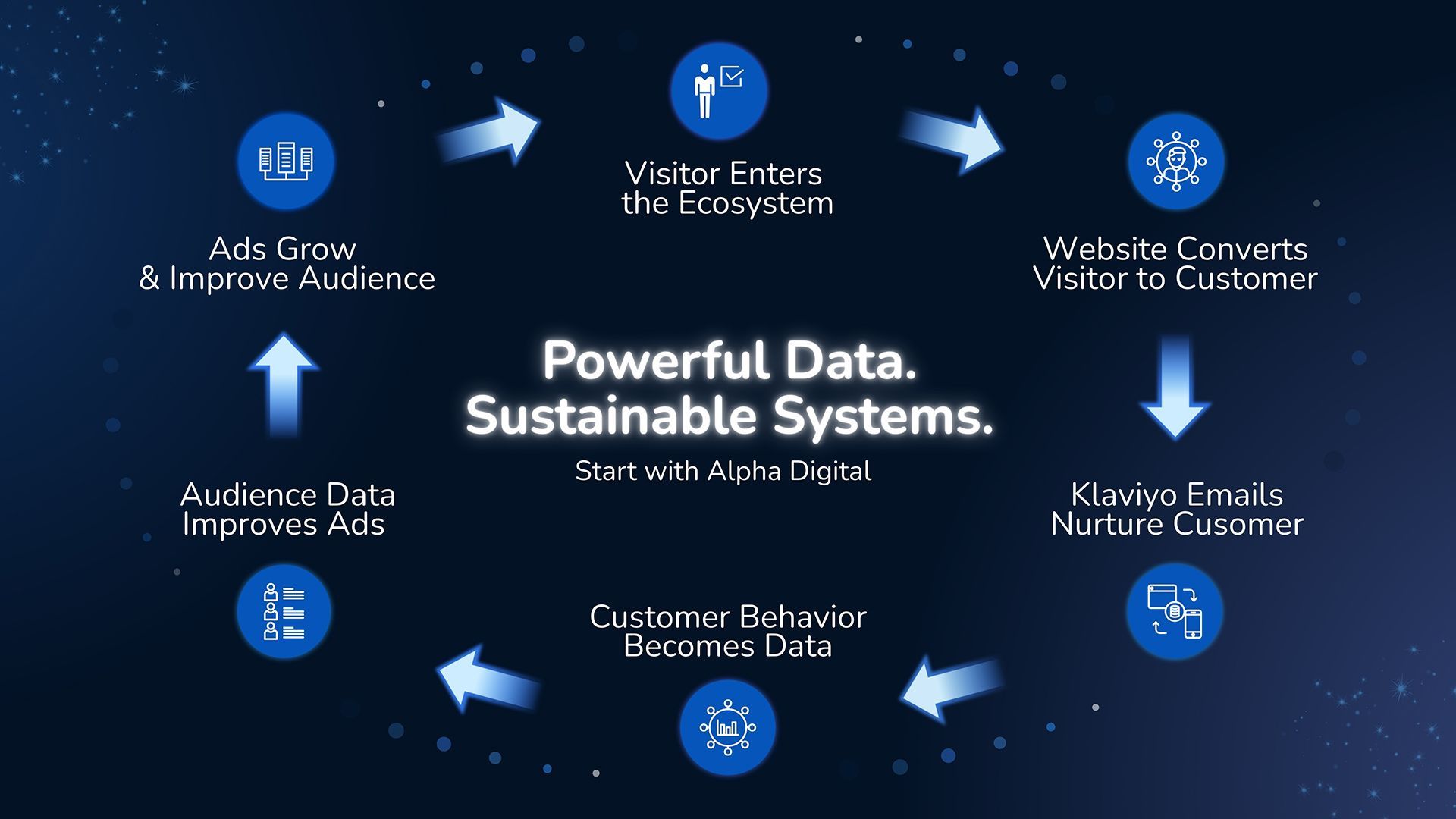
After migration, you unlock The Digital Ecosystem, our unified approach to:
- Paid Media (Google, Meta, TikTok, YouTube)
- CRO & landing pages
- Email marketing (Klaviyo)
- Analytics & attribution
- Marketplace expansion (Amazon, Walmart, GMC)
Migration = step one.
Growth = the long-term relationship.
5. Fully U.S.-Based Team + Direct Access
No outsourcing. No ticket systems. No disappearing developers.
You work with our actual strategists, designers, and developers—directly.
Should You Migrate to Shopify Yourself?
Technically, you can. Many try. But here’s the honest truth:
Every failed DIY migration results in:
- Lost SEO
- Lost customer data
- Broken checkout
- Wrong theme setup
- Hours of downtime
- Missing integrations
- Inconsistent analytics
Fixing these issues later costs far more than doing it right the first time.
Final Thought: Shopify Migration Is Not “Just a Move” — It’s a Transformation
And we treat it that way. If you want a flawless, zero-downtime transition from WooCommerce to Shopify—with the structure and expertise needed to grow for years—Alpha Digital is the safest partner you can choose.
Ready to Start Your Migration?
Let's Talk
Contact Us